
Chapter 3. The report as it builds
Part 1. Making your report.
When you touch Yes, make my report, the site takes you straight to your report's own page. It looks like the finished report from the first moment; its parts fill in where they stand, and nothing jumps around as they arrive.
What appears first
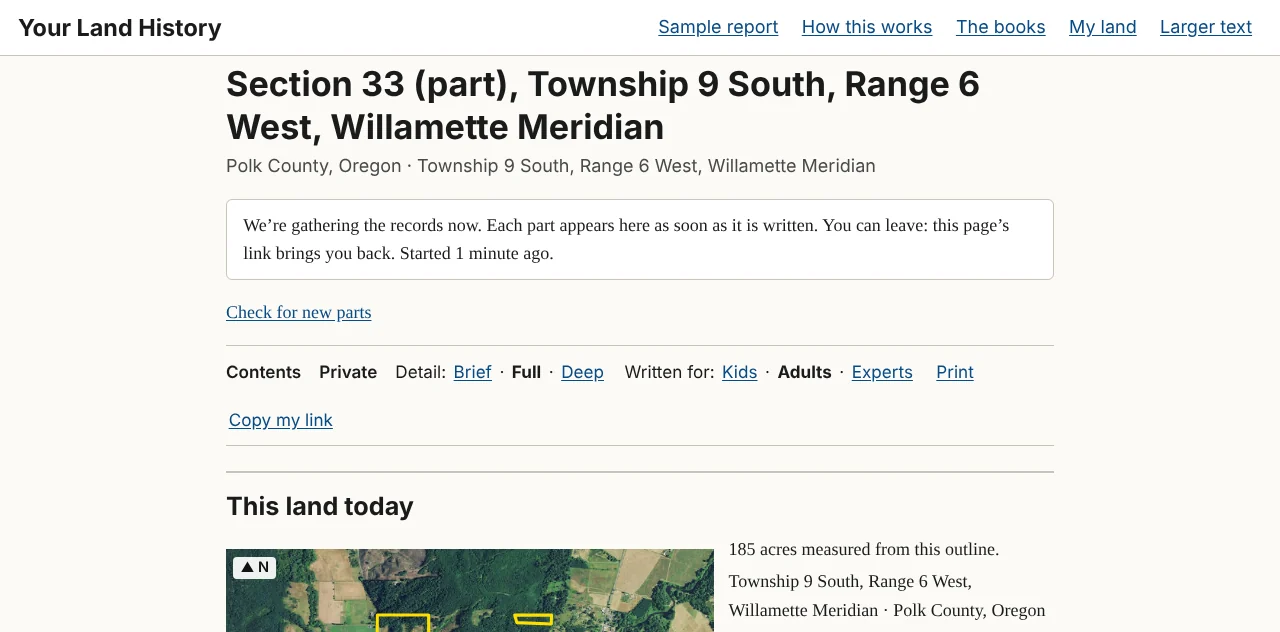
The land's name, its place line and "This land today" appear first, because the site already knows them from the outline you checked. Under the place line is the waiting line:
"We're gathering the records now. Each part appears here as soon as it is written. You can leave: this page's link brings you back. Started 1 minute ago."
The minutes are the only number on that line, because they are the only one the site knows for sure. It does not guess how long your report will take. A township's first report takes the longest.
The four states of an unwritten part
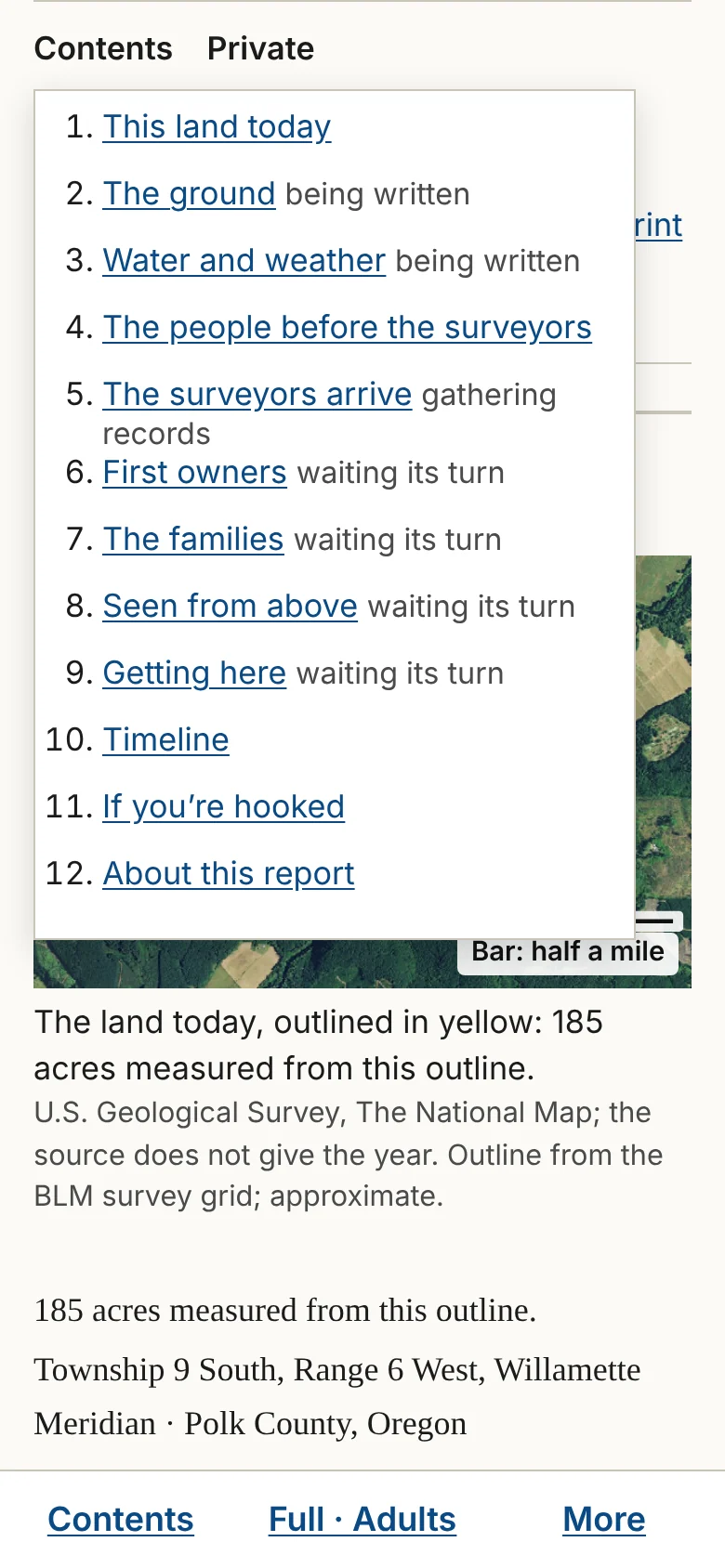
Below "This land today" are the eight parts of the story, in order. Until a part's paragraphs exist, it shows one of four lines under its heading.
| What you see | What it means |
|---|---|
| "Waiting its turn." | The site has not started gathering records for this part yet. |
| "Gathering records: [what], [source]." | A search for this part is running. The line names what is being looked for, in the same plain words as the report's headings, and where it comes from. |
| "Being written." | Every record for this part is in, and its paragraphs are being written from them. |
| "Not finished." | A search stopped. One plain sentence says why, with a Try again button. |
A part shows its paragraphs, pictures and records only when its paragraphs exist. Until then it shows only its line.
The opening, the one to three sentences at the very top of the finished report, is written last, from sentences already written further down.
Following along
The browser tab counts the parts as they are written: "[number] of 8 parts written · Your Land History." When the report is finished, the tab shows the land's name instead.
On a phone, touch Contents in the bar at the bottom of the screen to see the list of parts with the state of each one.
If you use a screen reader, it says "[Part] is written." once for each part as it arrives, and stays quiet the rest of the time.
If your browser has scripts turned off, the page cannot update itself. A link under the waiting line, Check for new parts, reloads the page to the same place.
How long it takes
That depends on how many records the land has, how quickly the sources answer, and whether anyone has made a report in that township before. You do not have to watch. Touch Copy my link and keep the link, or find the report later under My land in the same browser. When you come back, the page picks up where it is.
When a part is not finished
Two sentences can appear at the end of a part.
- "One source did not answer today: [source]. The rest of this part is here." A website the site depends on was down or slow. Touch Try again, now or later.
- "We stopped this part before it was finished. What we found is kept." Each report has an allowance of searching and writing, and this part reached it. Touch Try again to go on.
When a search simply finds nothing, the body says nothing about it; the appendix records the search.
When the page seems stuck
If nothing on the page has changed for ten minutes, reload it. Your report is not lost: its link always brings back whatever has been gathered and written so far. If a part still says "Not finished," touch Try again. If nothing helps, close the page and come back in an hour. Chapter 25 has more.