Chapter 19. Look deeper into this
Part 3. Doing more.
Look deeper into this sits at the end of each part of your own reports. It is the only thing on a report that starts a new search. (The sample is the same for everyone, so it has none.)
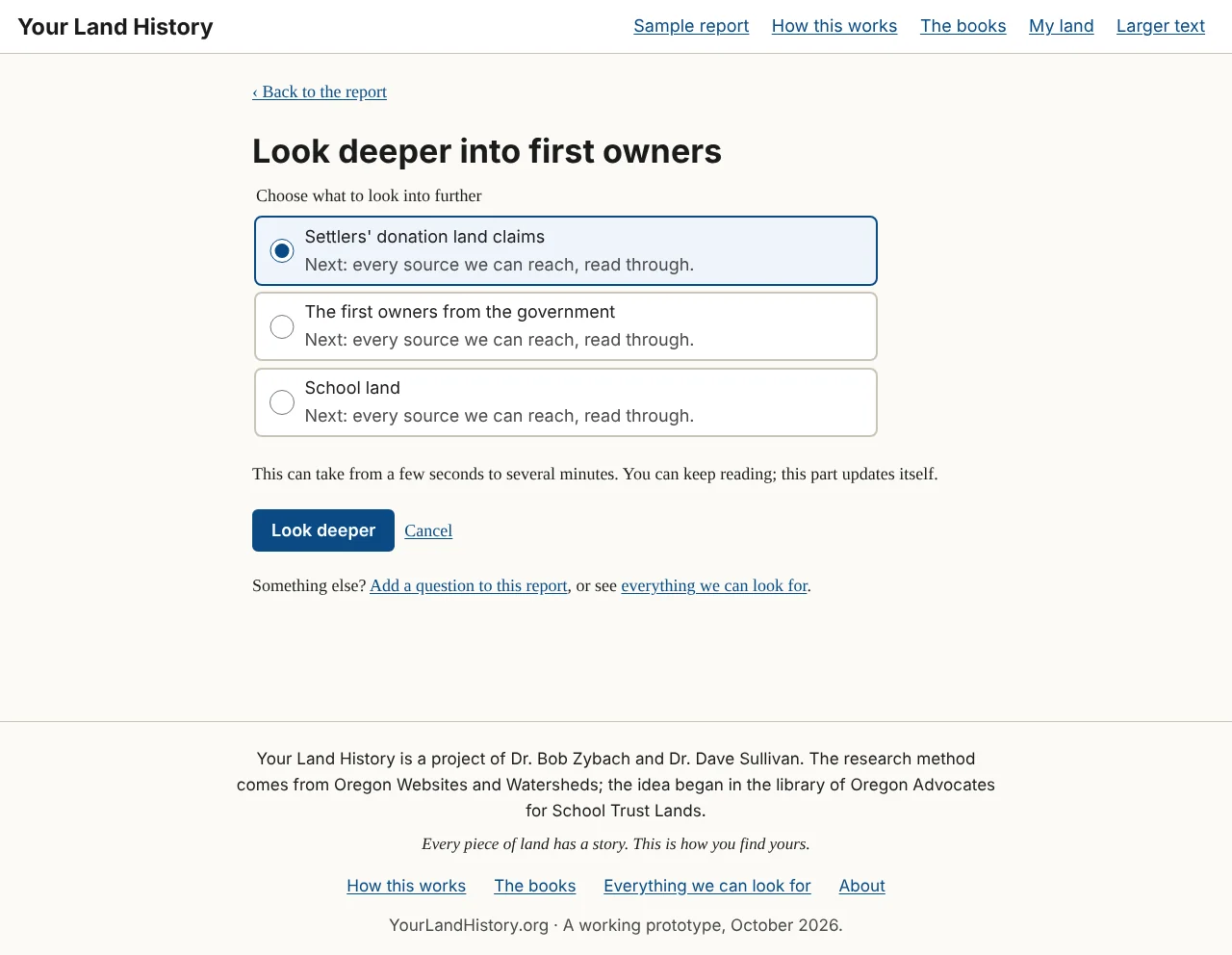
If a part rests on only one topic, the button starts that search at once. Otherwise a short page opens, headed with the part's name, such as "Look deeper into first owners," with the line "Choose what to look into further." It lists the part's topics, each with a line beginning "Next:" that says what a deeper search adds, such as "Next: every source we can reach, read through." That line describes the search, never what it will find. Choose one and touch Look deeper, or Cancel. The page says: "This can take from a few seconds to several minutes. You can keep reading; this part updates itself."
At its foot is a line for anything else: "Something else? Add a question to this report, or see everything we can look for."
When the search starts, a line at the top of the report says what is being looked into. The old text stays readable until the new text replaces it, and the report's version number goes up by one. A search that finds nothing is not wasted: the appendix records that the source was searched, and when.